


Restoration Website Design From Local Legends

Restoration Websites That Put Your Emergency Line, Your IICRC Credentials and a Page for Every Water, Fire and Mold Loss in Front of Property Owners Who Need Help Tonight
Restoration Website Design From Local Legends Marketing, From $2,500 One Time
Updated November 2026 · Reviewed by Levi Ostlund, Founder
Breadcrumb: Home > Industries [LINK: /industries/] > Restoration [LINK: /industries/restoration/] > Website Design
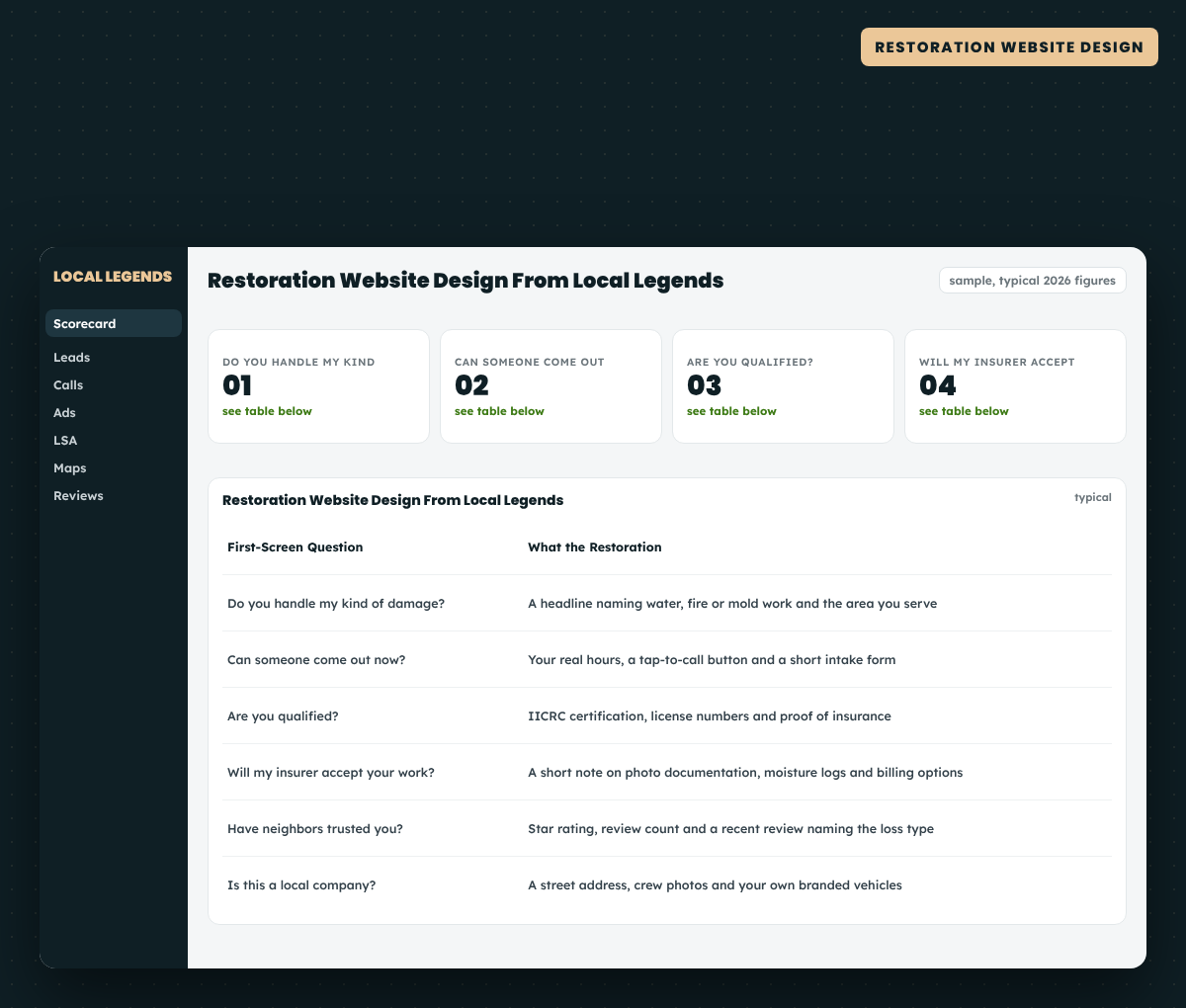
Restoration websites win emergency calls when a property owner standing in wet carpet can confirm three facts on one phone screen: you handle this kind of loss, you are certified and insured, and someone answers right now. Local Legends Marketing designs every restoration website around those three facts.
- A page for each loss type: water extraction and drying, fire and smoke, mold remediation, storm recovery, sewage cleanup and reconstruction.
- An emergency path for phones: a pinned call bar, a three-field intake form and a missed-call text back.
- Credentials where owners look: IICRC certification, state licenses, insurance and review count beside the call button.
- Plain insurance language: how documentation and billing work, written to stay clear of public adjusting.
- Every call followed to the invoice: each restoration website lead keeps its source from the first ring to the paid job.
Free Growth Audit
Your Reviews, Radius and Response Rate vs the competitors beating you.
About Local Legends Marketing
A home service marketing agency headquartered in Conroe, Texas, with 8+ years of marketing experience, running Google Ads, Local Services Ads, local SEO, AI SEO, connected TV and review systems for contractors nationwide.
Restoration Website Design Reviews From Home Service CEOs Who Hired Local Legends Four CEOs on the Record
The testimonials on this page come from four home service CEOs who recorded or wrote reviews of Local Legends Marketing and founder Levi Ostlund, including Race Allen, CEO of Precision Restoration of Texas. This page shows no restoration website launch results, client lead counts or invented case studies.
All three videos play on the Local Legends reviews page [LINK: /about-us/reviews/].
Levi has been absolutely outstanding to work with over the years... His creativity, responsiveness, and deep understanding of our marketing strategy have made a huge impact.
 Brad Beldon
CEO, Roofing Company
Why a Restoration Website Works Harder Than Most Contractor Sites Three Audiences, One Loss and a Clock Running
A restoration website works harder because it serves a frightened homeowner during an active loss, a referral partner checking your credentials and a commercial buyer building a vendor list, often in the same week. Each one arrives with a different question and leaves for a different reason.
The clock is real. The EPA advises drying water-damaged areas and items within 24 to 48 hours to prevent mold growth, so a homeowner with standing water is not comparing six websites over coffee. [SOURCE: EPA, A Brief Guide to Mold, Moisture and Your Home, fetched Nov 28 2026]
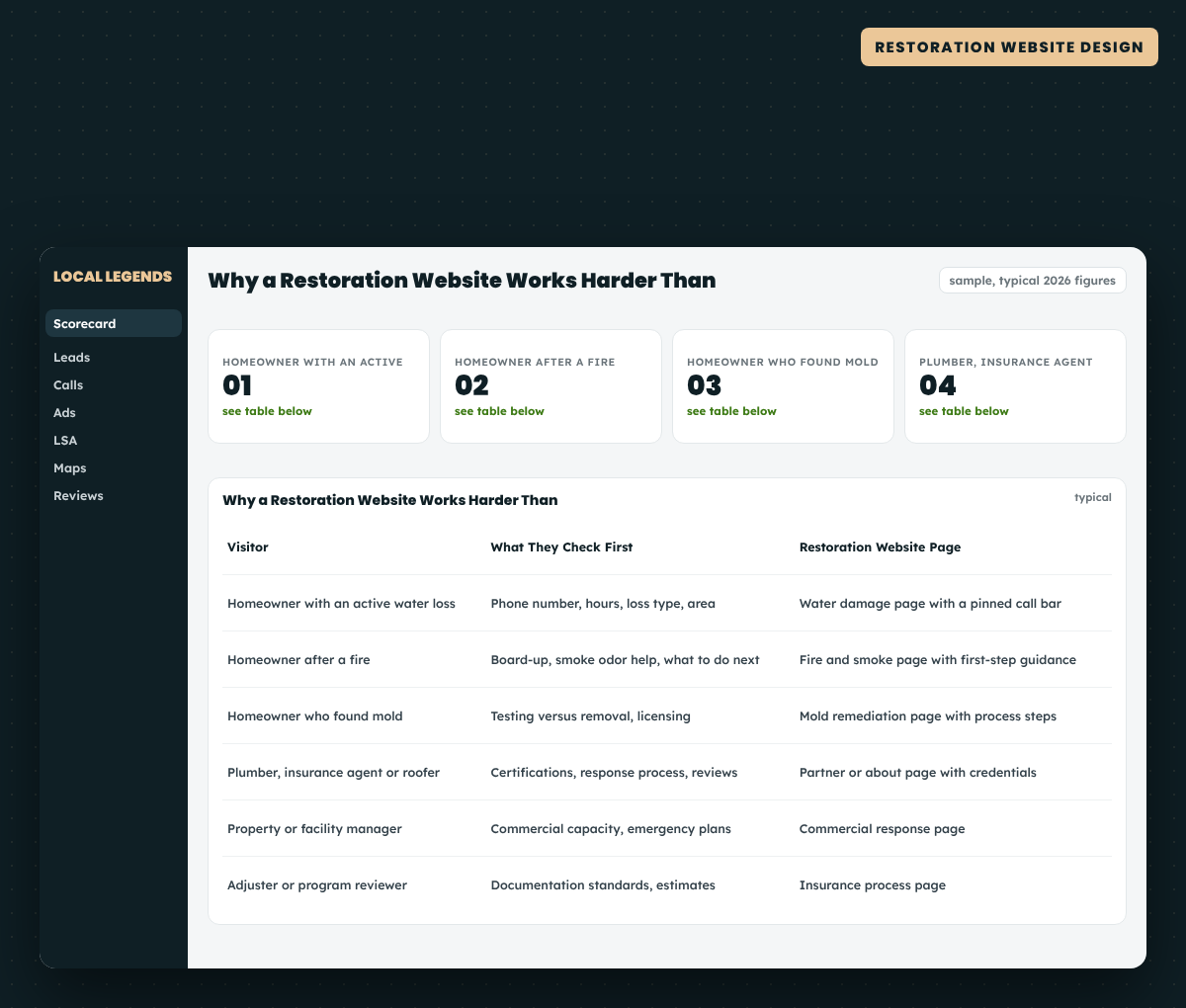
| Visitor | What They Check First | Restoration Website Page That Serves Them | Why They Leave |
|---|---|---|---|
| Homeowner with an active water loss | Phone number, hours, loss type, area | Water damage page with a pinned call bar | No visible number or unclear hours |
| Homeowner after a fire | Board-up, smoke odor help, what to do next | Fire and smoke page with first-step guidance | One generic services page |
| Homeowner who found mold | Testing versus removal, licensing | Mold remediation page with process steps | No license or certification shown |
| Plumber, insurance agent or roofer | Certifications, response process, reviews | Partner or about page with credentials | Stock photos and no team names |
| Property or facility manager | Commercial capacity, emergency plans | Commercial response page | Residential-only wording |
| Adjuster or program reviewer | Documentation standards, estimates | Insurance process page | Vague claims language |
The Emergency Visitor Decides in Seconds
A property owner with water spreading across a floor wants a number and a promise of help that the company can keep. Industry guides from restoration marketers describe a window of roughly 10 to 12 seconds before that visitor goes back to the results, so the first screen carries the whole job.
The Planned Visitor Reads Every Page
Reconstruction clients, mold clients and commercial buyers take longer. They read process pages, compare credentials and look at finished work, which is why a restoration website needs depth below the first screen as well as speed at the top.
Why Does My Restoration Website Get Traffic but Almost No Emergency Calls?
A restoration website that gets visits but few emergency calls usually has a phone number that is hard to tap, a services page that lumps every loss together or trust proof buried in the footer. Sometimes the calls are arriving and simply are not being counted.
- The number hides on phones: it sits inside an image, below a slider or only in the footer.
- Hours are unclear: the site never says whether anyone answers at night or on weekends.
- One page covers every loss: water, fire and mold sit in one bullet list with no detail.
- Credentials are missing up top: the IICRC badge and license appear only on the about page.
- The traffic is the wrong traffic: blog visits on cleaning tips, not owners searching for extraction.
- Calls are untracked: without call tracking, a busy week can look empty in the analytics.
The Restoration Website Page Map for Water, Fire, Mold and Rebuild Work One Page Per Loss, One Offer Per Page
A restoration website page map gives every loss type its own page, its own photos and its own next step, so a search for fire damage cleanup lands on fire work instead of a list of everything the company does. Each page follows the Local Legends product-page layout.
That layout puts real job photos on one side and the call button, intake form, credentials and a plain description of the process on the other. On a phone the photos lead, the call bar stays pinned and the form sits one tap away.
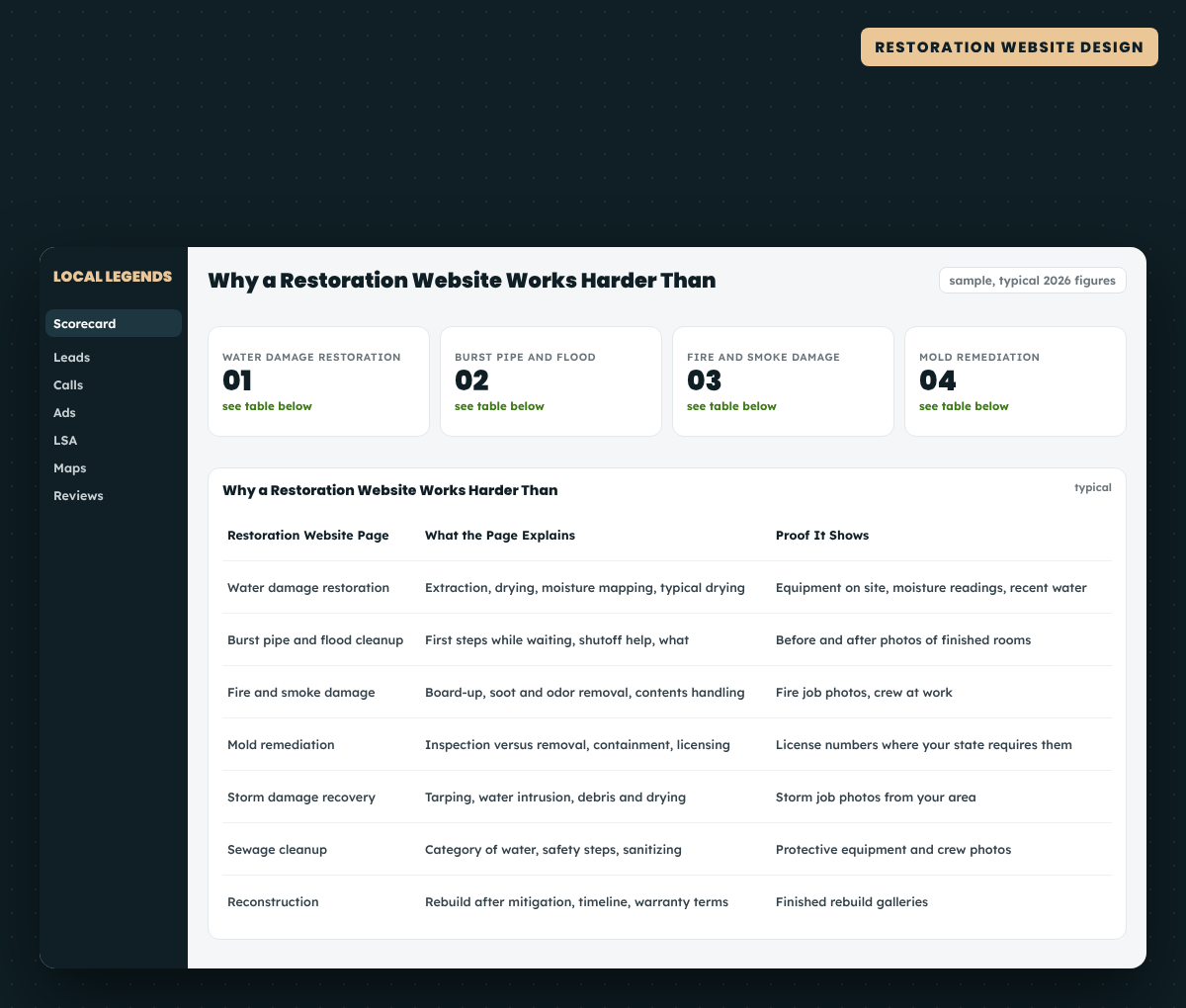
| Restoration Website Page | What the Page Explains | Proof It Shows | Next Step Offered |
|---|---|---|---|
| Water damage restoration | Extraction, drying, moisture mapping, typical drying timeline | Equipment on site, moisture readings, recent water reviews | Call now or request emergency service |
| Burst pipe and flood cleanup | First steps while waiting, shutoff help, what the crew does | Before and after photos of finished rooms | Call now |
| Fire and smoke damage | Board-up, soot and odor removal, contents handling | Fire job photos, crew at work | Call or request an assessment |
| Mold remediation | Inspection versus removal, containment, licensing where required | License numbers where your state requires them | Request a mold inspection |
| Storm damage recovery | Tarping, water intrusion, debris and drying | Storm job photos from your area | Call now |
| Sewage cleanup | Category of water, safety steps, sanitizing | Protective equipment and crew photos | Call now |
| Reconstruction | Rebuild after mitigation, timeline, warranty terms | Finished rebuild galleries | Request a rebuild estimate |
| Insurance process | Documentation, scope, billing options in plain steps | Sample photo report and moisture log | Ask a question |
| Commercial response | Property manager and facility programs | Commercial job photos and capacity | Request a commercial walkthrough |
| Service areas | Towns served with real local detail | Reviews and jobs from each town | Call or request service |
How Many Pages Each Restoration Website Size Usually Holds
- 10 pages: home, water damage, fire and smoke, mold remediation, storm recovery, reconstruction, insurance process, reviews, about and contact.
- 20 pages: adds burst pipe, sewage, contents, commercial response, a cost guide and a handful of earned town pages.
- 40 pages: adds specialty pages such as crawl space drying or odor removal, more commercial detail and 15 or more town pages.
- 80 pages: built for several offices or a region, with town pages for each office's territory.
Should My Restoration Website Have Separate Pages for Water Damage, Fire Damage, Mold and Reconstruction?
Yes, a restoration website should give water damage, fire damage, mold remediation and reconstruction their own pages because each loss has a different searcher, a different process and a different set of worries. One combined page gives each service too little weight to rank or convince.
- Water pages answer speed: what happens in the first hour, how drying is measured and how long it usually takes.
- Fire pages answer safety: when it is safe to go back in, board-up and what can be saved.
- Mold pages answer trust: testing versus removal, containment and the license your state requires.
- Reconstruction pages answer the finish: how the rebuild connects to mitigation and what the warranty covers.
- Each page links to the others: a fire loss often becomes a water loss after the hoses, so the pages point to each other.
Should My Restoration Website Have a Page for Every Town We Serve?
A restoration website should add a town page only where the company has real jobs, reviews and local facts to show, and list the remaining towns on one service area page. Google's spam policies treat city pages that differ only by name as doorway pages.
- The Local Legends rule: a town gets its own page only after research turns up at least 5 real local facts about it.
- Useful local facts: older plumbing in a historic district, basements versus slabs, flood-prone creeks or freeze patterns.
- Local proof: a review that names the town, photos from a job there and the drive time your crew actually makes.
- The swap test: if the town name can be replaced with another and the page stays true, it needs rewriting.
The Restoration Website Emergency Path for a 2 A.M. Caller Built for a Dark Hallway and One Thumb
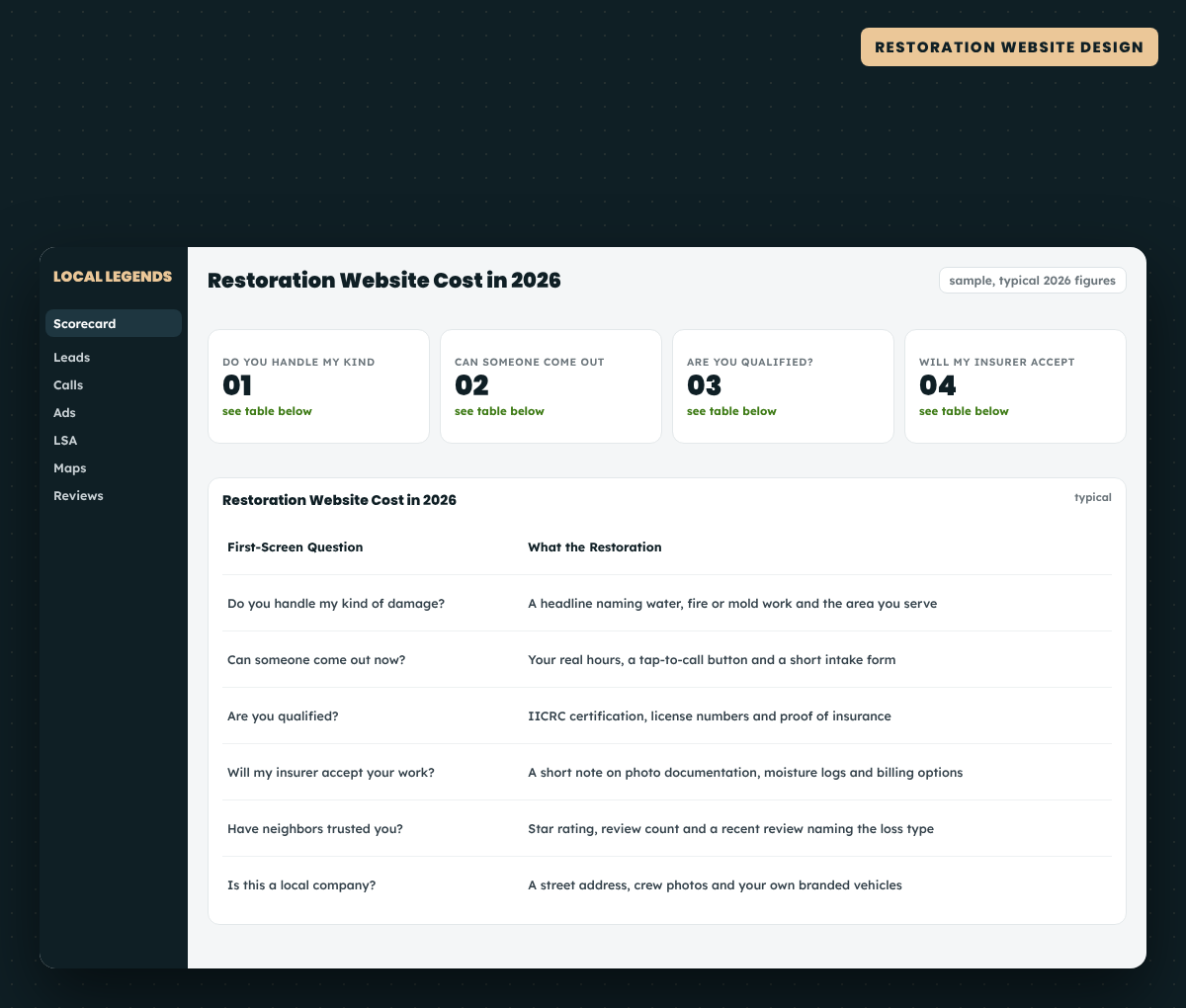
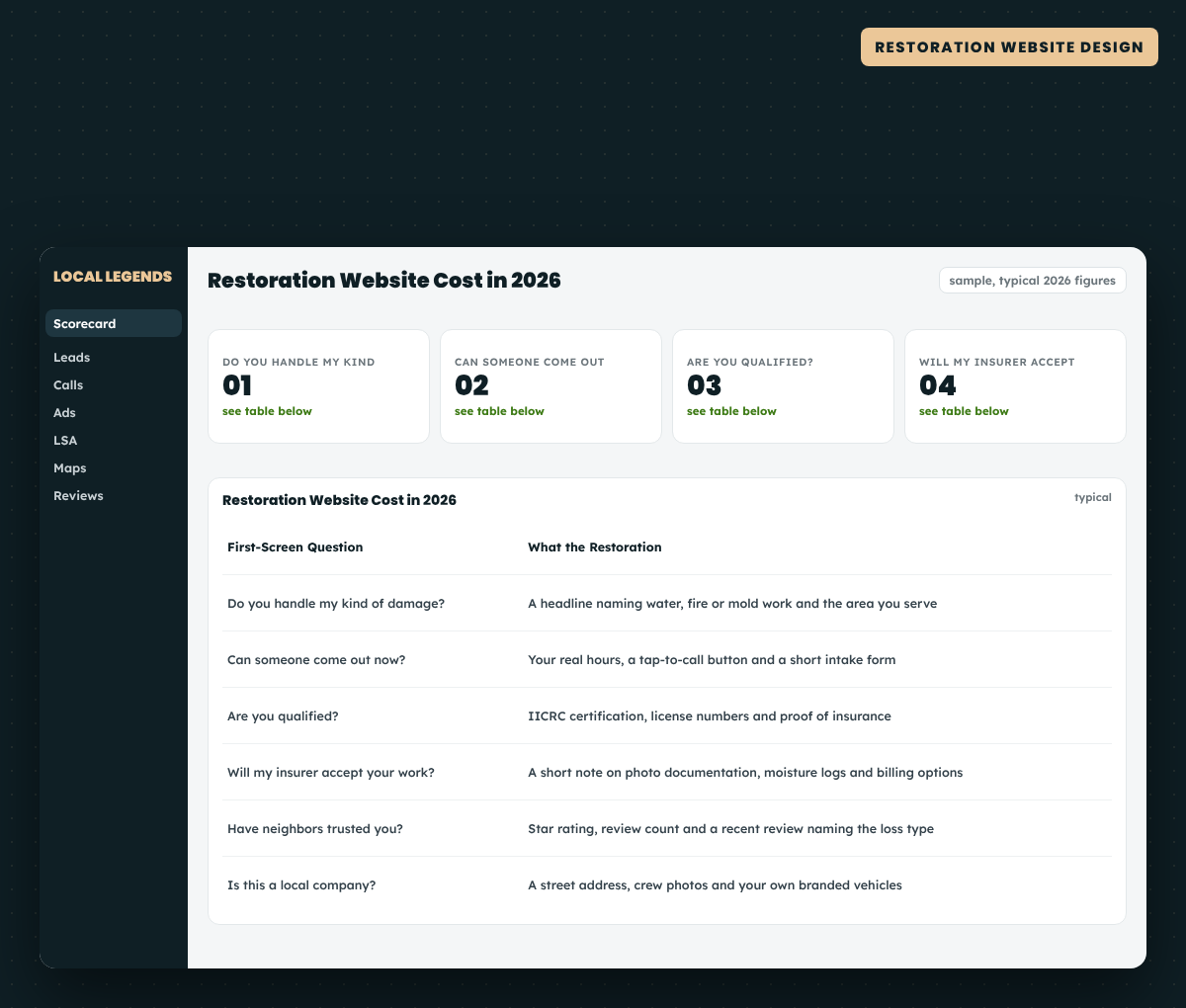
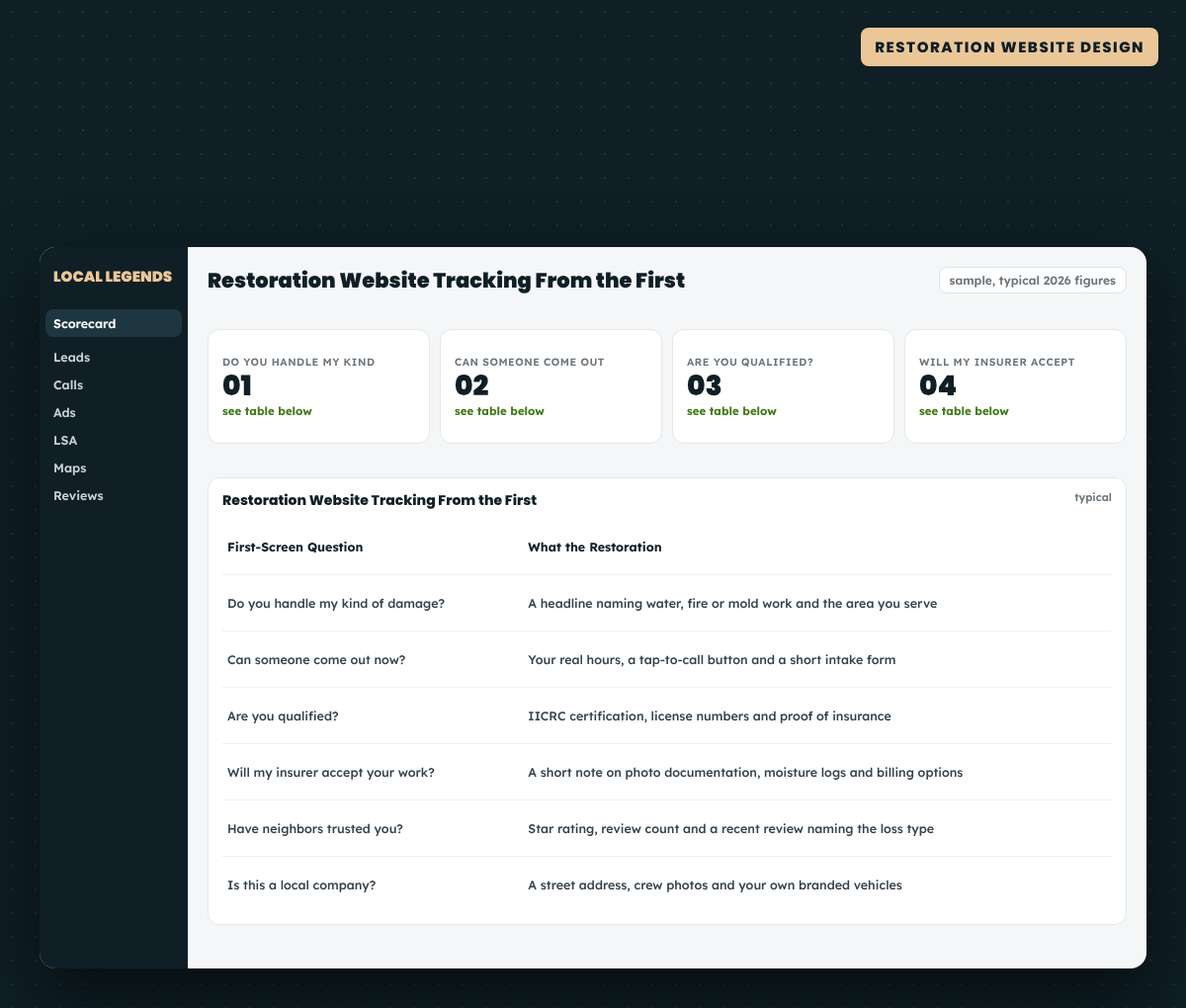
The restoration website emergency path is the shortest route from a panicked search to a live conversation with your dispatcher, and every extra field or slow script on that route costs a job. It is designed for a phone held in one hand.
- A call bar pinned to the bottom of the screen on every page, with a tap target large enough for a wet or shaking hand.
- Hours stated honestly:"Answering 24/7" only if the line is answered around the clock, otherwise the real after-hours process.
- A three-field intake form: name, phone and what happened, with the phone number captured first.
- An optional photo upload for standing water, ceiling stains or smoke damage, so the crew sees the loss before arriving.
- A missed-call text back that replies within seconds when a call goes unanswered, instead of sending the caller to voicemail.
- First-step guidance on the page: how to find the water shutoff, when to leave the home and what not to touch.
- A confirmation that says what happens next and when the office will call.
A restoration trade magazine notes that most losses happen outside business hours, so a company advertising 24-hour service needs intake that matches the promise. [SOURCE: R&R Magazine article 92173 on first-response gaps, fetched Nov 28 2026]
How Do I Make My Restoration Website Work for a Homeowner Calling at 2 A.M. From a Phone?
A restoration website works for a 2 a.m. caller when it loads fast on a weak signal, shows the call button without scrolling and tells the truth about who answers. Test it yourself at night from your own phone with the Wi-Fi turned off.
- Count the taps: reaching a ringing phone should take one tap from any page.
- Time the load: Google's Core Web Vitals target the main content loading within 2.5 seconds.
- Check the dark: text and buttons should be readable at low screen brightness.
- Call the number: confirm the call routes to a person or an on-call phone, not a full voicemail box.
- Fill the form: make sure the alert reaches whoever is on call and the homeowner gets a confirmation text.
IICRC Certification, Licenses and Proof on a Restoration Website Put Credentials Beside the Call Button
A restoration website earns trust fastest when it shows IICRC certification, state licenses, insurance and a review count right next to the button the visitor is about to press. Credentials buried on an about page do nothing for an emergency caller.
Google Local Services Ads screens US water damage businesses for IICRC certification, licensing, insurance and background checks, so that credential belongs high on your site too. [SOURCE: Google Local Services Ads screening requirements, support.google.com, fetched Nov 28 2026]
- IICRC Certified Firm badge: shown only if the company holds an active Certified Firm status, with the locator listing to back it.
- Technician certifications: water restoration, applied structural drying or fire and smoke credentials your team actually holds.
- State licenses: contractor and mold licenses where your state issues them, with the number written out.
- Insurance: general liability and any coverage your commercial clients ask about.
- Reviews: the live Google rating and count, plus a recent review that names the loss type.
- Real people: the owner, the project manager and the crew, by name and title.
Where Should IICRC Certification and License Numbers Go on My Restoration Website?
IICRC certification and license numbers belong in the header trust bar, on each loss type page beside the form and in the footer of every page. A visitor should never have to hunt for proof.
- Header trust bar: IICRC badge, star rating, review count and "licensed and insured."
- Loss type pages: the certification that matches that service, such as water restoration on the water page.
- Mold page: the state mold license where required; a 2023 industry roundup listed Florida, Louisiana, New York, Tennessee and Texas plus Washington, D.C. as licensing jurisdictions.
- Footer: legal business name, address, license numbers and the certification statement.
- Never borrowed: a badge the company does not hold today does not go on the site.
Insurance Claim Wording on a Restoration Company Website Document the Loss, Skip Claim Promises
A restoration website should explain how the company documents damage and works alongside the property owner's insurer, without promising to handle, negotiate or settle the claim. Many states regulate public adjusting, and website wording can count as advertising.
The Restoration Industry Association advises contractors to avoid lines like "we'll handle your insurance claim" and to stick to the damage, the scope and the cost of repair. [SOURCE: Restoration Industry Association, Don't Become an Accidental Adjuster, fetched Nov 28 2026]
How Should My Restoration Website Talk About Insurance Claims Without Sounding Like a Public Adjuster?
A restoration website should describe what the company does for the file, such as photos, moisture readings and a detailed scope, and leave claim decisions to the policyholder and the insurer. Have an attorney in your state review the insurance page before launch.
- Safer wording:"We document the damage with photos and moisture readings and provide a detailed scope for your insurer."
- Safer wording:"We can coordinate the repair scope with your adjuster."
- Safer wording:"Direct billing is available on covered losses; the policyholder remains responsible for the deductible." Only if it is your real practice.
- Wording to leave out: promises to handle, negotiate or settle the claim, or to get it approved.
- Wording to leave out: any suggestion of preferred vendor status with a carrier unless the company is in that program.
- Wording to leave out: deductible waivers or rebates, which some states prohibit advertising.
Restoration Website Photos That Prove the Work Without Exposing the Customer Show the Process, Protect the Address
Restoration website photos persuade when they show the process as well as the finish: equipment running, moisture readings, containment, the crew at work and the rebuilt room. Clean rooms alone do not show that a company moves fast.
- Timeline sets: day 1 extraction, day 3 drying readings and the finished rebuild, with a short caption naming the loss type.
- Equipment in place: air movers, dehumidifiers and containment in real homes, not catalog shots.
- The crew by name: team photos with names and roles, taken on the job.
- Branded vehicles: your own trucks or vans in front of local homes, without readable house numbers.
- Commercial work: lobbies, hallways and units, shown only with the property manager's approval.
Can I Post Photos of Customer Homes After Water or Fire Damage on My Restoration Website?
A restoration company should get written permission before posting photos from inside a customer's home and should crop out house numbers, faces, personal documents and family photos. A loss is a hard moment, and privacy is part of the service.
- Add a photo release to the work authorization so permission is collected with the paperwork.
- Remove identifying details before upload: street numbers, license plates, mail, medication and family pictures.
- Strip location data from phone photos if the exact address would show.
- Name the town, not the street, in the caption.
- Ask a pro about rights: for questions about photo ownership or consent rules in your state, talk to an attorney.
Restoration Website Pages for Property Managers and Referral Partners Some Visitors Never Searched for Help
Restoration website pages for property managers, insurance agents and plumbers turn a referral or a vendor search into a relationship, because those visitors are checking whether your company is safe to recommend. They read differently than a homeowner in crisis.
The parent page on restoration marketing covers referral outreach and program work across every channel. The website's job is narrower: give each partner a page that answers their questions in under a minute.
How Do I Get Property Managers and Commercial Clients From My Restoration Website?
A restoration website brings in property managers and commercial clients when it has a commercial response page that shows capacity, documentation standards and a simple way to request a walkthrough or an emergency plan. Residential-only wording sends those buyers away.
- Capacity in plain numbers: crews, drying equipment and how many units the company can handle at once, only as confirmed.
- Pre-loss planning: an offer to map shutoffs, contacts and access before anything goes wrong.
- Documentation: sample reports, photo logs and the way invoices are delivered.
- Insurance certificates: how to request a certificate of insurance.
- A partner page for referrers: a short form and a direct number for plumbers, roofers and agents who send work.
How Much Does a Restoration Website Cost in 2026? Typical Builds Run $3,000-$10,000+ for Custom Work
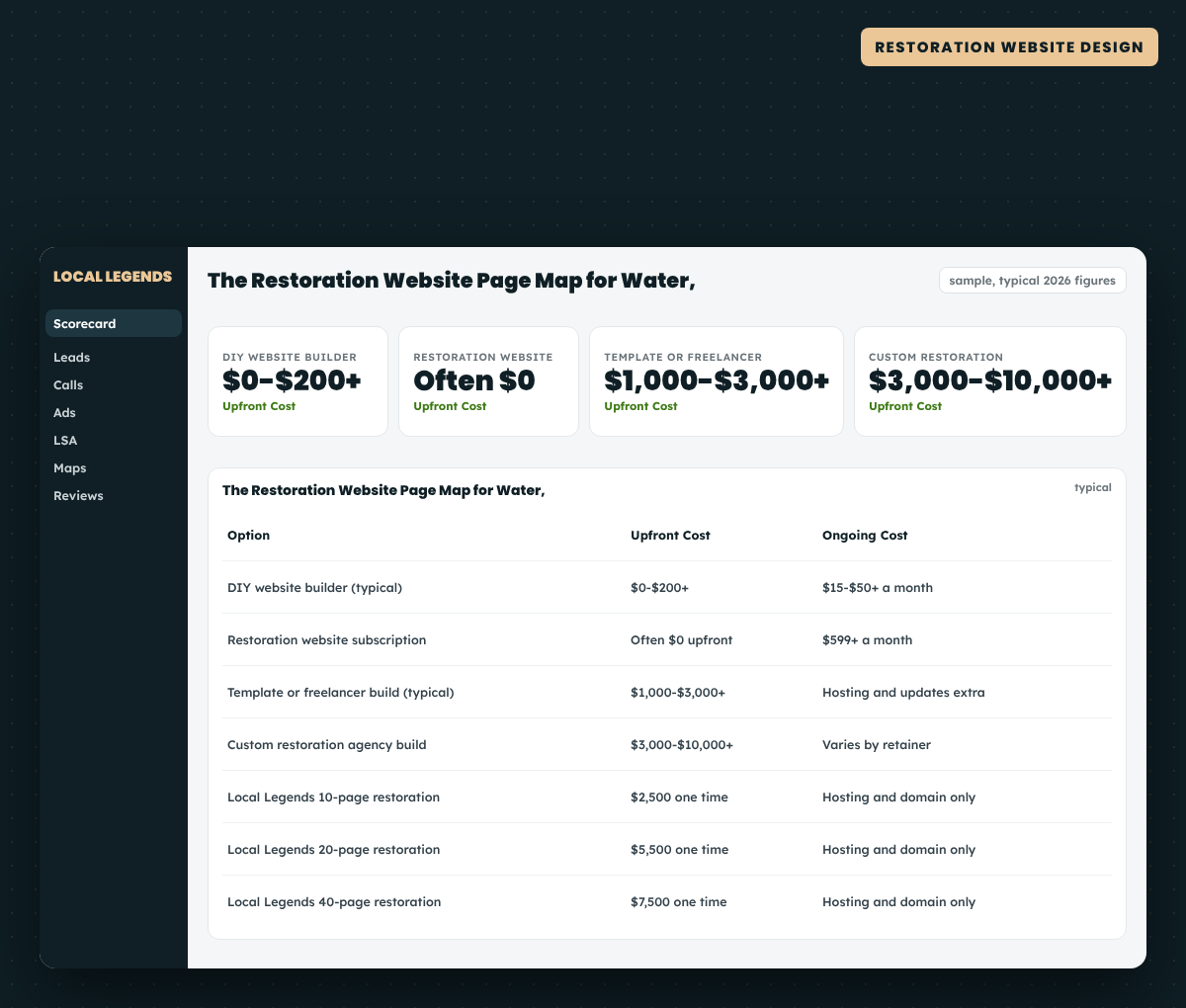
A restoration website typically costs $1,000-$3,000+ for a template build, $3,000-$10,000+ for a custom build and $599+ a month for an industry website subscription, based on published restoration marketing pages reviewed in November 2026. Those are typical market figures, not Local Legends prices.
| Option | Upfront Cost | Ongoing Cost | Usually Fits |
|---|---|---|---|
| DIY website builder (typical) | $0-$200+ | $15-$50+ a month | A new restoration company on referrals only |
| Restoration website subscription (typical) | Often $0 upfront | $599+ a month | An owner who wants a managed template and accepts renting it |
| Template or freelancer build (typical) | $1,000-$3,000+ | Hosting and updates extra | A small water damage company needing core pages |
| Custom restoration agency build (typical) | $3,000-$10,000+ | Varies by retainer | A multi-truck firm with water, fire, mold and rebuild pages |
| Local Legends 10-page restoration website | $2,500 one time | Hosting and domain only | Home, water, fire, mold, storm, rebuild, insurance, reviews, about, contact |
| Local Legends 20-page restoration website | $5,500 one time | Hosting and domain only | Adds burst pipe, sewage, contents, commercial and earned town pages |
| Local Legends 40-page restoration website | $7,500 one time | Hosting and domain only | Deeper specialty, commercial and town coverage |
| Local Legends 80-page restoration website | $15,000 one time | Hosting and domain only | Multi-office restoration companies and regional territories |
Monthly growth plans, add-ons and ad management fees are listed on the Local Legends pricing page, and the layout behind every build is explained on the contractor website design page. Local Legends websites are a one-time purchase with no setup fee.
What Moves the Price of a Restoration Website
- Page count: every loss type, specialty service and town page needs its own research and writing.
- Insurance and commercial content: process pages take careful wording and owner review.
- Photo gathering: sorting, cropping and captioning real job photos takes time.
- Integrations: sending calls and forms into your CRM or job software adds setup work.
Website Cost Versus Ad Spend
A website is a one-time build, while paid ads carry a monthly management fee plus spend paid straight to the platform. Local Legends manages Google Ads plus Local Services Ads for a flat $2,000 a month, never a percentage of spend, and that fee includes the campaign landing pages.
Should My Restoration Company Use a Website Builder, a Restoration Website Subscription or an Agency-Built Website?
A new restoration company on referrals can start on a website builder, a subscription can work for an owner who accepts renting the site, and a company competing for water, fire and mold searches across several towns usually needs a planned build it owns. Ownership is the deciding question.
- Builder strengths: fast and inexpensive for a five-page site.
- Builder limits: thin loss type pages, limited tracking and often no way to export the site.
- Subscription strengths: hosting and updates handled for a monthly fee.
- Subscription limits: some plans keep the site and content if the payments stop.
- Owned build strengths: your pages, your domain and your data stay with the company.
- Local Legends: one-time pricing, no long-term contracts, and the client owns the website, domain, Google Business Profile, ad accounts and call data.
Restoration Website Tracking From the First Ring to the Invoiced Job Visits Are Chapter One
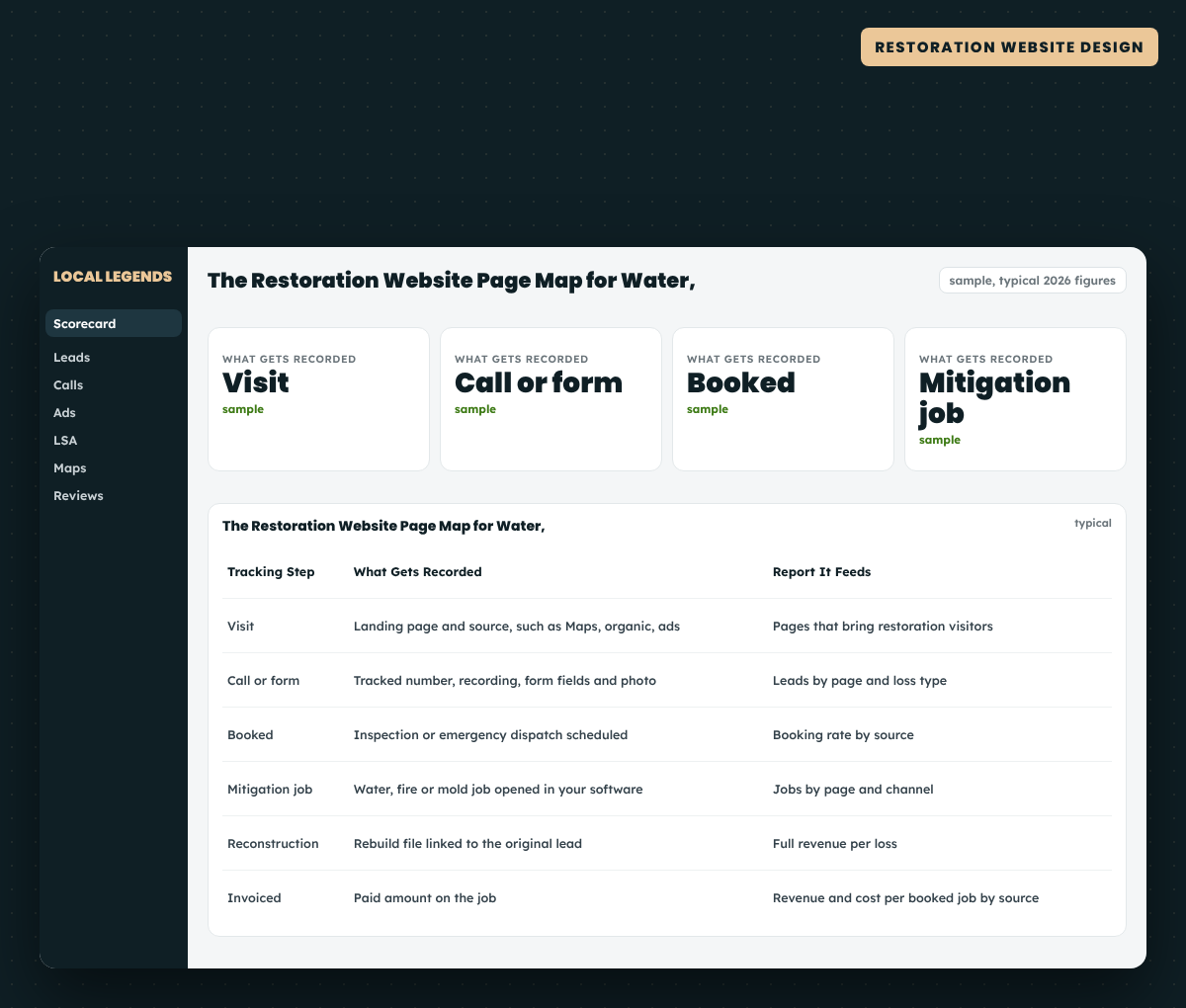
Restoration website tracking follows each call and form from the page that produced it through the inspection, the mitigation job, any reconstruction and the paid invoice. Visits and rankings start the story, and invoiced jobs finish it.
Local Legends sets up CallRail call tracking and connects it to the CRM you already run, such as ServiceTitan, Housecall Pro, JobNimbus, AccuLynx, Jobber, Buildertrend or GoHighLevel. The CEO scorecard reports leads, booked jobs, sold jobs and cost per booked job.
| Tracking Step | What Gets Recorded | Report It Feeds |
|---|---|---|
| Visit | Landing page and source, such as Maps, organic, ads or a partner link | Pages that bring restoration visitors |
| Call or form | Tracked number, recording, form fields and photo uploads | Leads by page and loss type |
| Booked | Inspection or emergency dispatch scheduled | Booking rate by source |
| Mitigation job | Water, fire or mold job opened in your software | Jobs by page and channel |
| Reconstruction | Rebuild file linked to the original lead | Full revenue per loss |
| Invoiced | Paid amount on the job | Revenue and cost per booked job by source |
How Do I Track Which Restoration Website Calls Turn Into Invoiced Jobs?
A restoration company tracks website calls to invoiced jobs by giving each source its own tracked number, carrying that source into the job file and keeping it attached when a mitigation file becomes a rebuild. Without that link, reconstruction revenue looks like it came from nowhere.
- Tracked numbers by source: website, Google Business Profile, ads and key referral partners each get their own.
- Required lead source field: a dropdown, never free text, in the job software.
- Hidden form fields: the landing page and campaign ride along with every form.
- One customer, one thread: the reconstruction file inherits the source from the original loss.
- A monthly review: revenue by source and cost per booked job, not form counts.
A Restoration Website Google and AI Answers Can Read Plain Facts in Plain Text
A restoration website that Google and AI answer engines can read states its services, service area, credentials and hours in plain text on the page, not inside images or sliders. Answer engines quote what they can parse.
- One clear statement per page:"We restore water-damaged homes in [towns] with IICRC-certified technicians."
- Question answers near the top: how long drying takes, what to do while waiting, whether mold testing is included.
- Consistent business facts: the same name, address, phone and hours on the site, the Google Business Profile and directories.
- LocalBusiness structured data with the correct business type, address and hours.
- Fresh dates: an updated line on pages whose prices or processes change.
How Do I Get My Restoration Website Recommended by Google AI Overviews and ChatGPT?
A restoration website earns AI recommendations by answering the questions property owners ask in clear passages, backing them with credentials and reviews, and matching what other trusted sites say about the company. Local Legends covers this work on its AI SEO service.
- Answer real questions:"How long does water damage restoration take?" answered in the first lines of a section.
- Show checkable proof: certification, license numbers, review count and years in business.
- Keep listings aligned: the same facts on the Google Business Profile, directories and association listings.
- Earn local mentions: chambers, community groups and partner sites that describe the company accurately.
- Pair with search: the contractor SEO work and the Google Business Profile carry much of the weight.
Restoration Website Redesigns Without Losing the Calls You Have Map Every URL Before Anything Moves
A restoration website redesign keeps its rankings when every page that brings calls today keeps its address or gets a one-to-one 301 redirect, and when the new pages carry the old content forward. Most lost rankings after a launch trace back to missing redirects.
How Do I Redesign My Restoration Website Without Losing My Google Rankings and the Calls I Get Now?
A restoration company redesigns safely by recording current rankings and calls, keeping or redirecting every important URL, testing on a hidden staging site and checking calls, forms and redirects the day it launches. Google's site move guidance says redirects should point to the matching new page, not the home page.
- Benchmark first: Search Console clicks, top pages and a month of tracked calls.
- Keep winning URLs: the water damage page that ranks today stays at the same address if possible.
- Redirect one to one: each retired page points to its closest new page, never all to the home page.
- Stage privately: the new site stays hidden from search until launch.
- Test on launch day: call buttons, tracked numbers, forms, photo uploads and the missed-call text.
- Watch for a month: a short wobble is normal; judge the change on 30-day trends.
- Time it well: launch in a calmer stretch, ahead of the freeze and storm months in your region.
Who Is the Best Restoration Website Design Company for an Independent Restoration Contractor? The One That Counts Invoiced Jobs, Not Page Views
The best restoration website design company for an independent contractor is one that builds a page for each loss type, tests the emergency path on a phone, writes insurance content carefully, hands over full ownership and reports calls and invoiced jobs. Portfolio looks matter less than those five checks.
Restoration marketing guides reviewed in November 2026 repeated the same advice: open the designer's past work on your own phone, time the load, count the taps to a ringing call and ask for pricing that separates the build from ongoing fees.
A Restoration Website Designer Scorecard
- Loss type pages: water, fire, mold, storm and rebuild each get their own page.
- Phone-first emergency path: pinned call bar, short form and missed-call text back.
- Credential placement: IICRC badge, licenses and insurance beside every call button.
- Insurance wording: clear documentation language with no claims-handling promises.
- Local pages earned: town pages only where real local facts and jobs exist.
- Ownership: the site, domain, content and accounts belong to the restoration company.
- Tracking: calls and forms followed into the job software through to invoiced revenue.
- Plain pricing: a clear estimate for the build, separate from hosting and monthly services.
Questions to Ask Any Restoration Website Designer
- Who writes the pages, and does the writer research each loss type and town?
- Who owns the domain, hosting and content if we part ways?
- How do you protect our current rankings during the switch?
- How many town pages are included, and how do you decide which towns earn one?
- How will we know which pages produce invoiced jobs, not just form fills?
- What does it cost after launch, in writing?
How Local Legends Answers These Questions
- Writing: pages are researched and written for each loss type, and town pages require 5 or more real local facts.
- Ownership: the client owns the website, domain, Google Business Profile, ad accounts and call data.
- Pricing: one-time builds from $2,500, no setup fees and no long-term contracts.
- Audit first: every engagement starts with a review of tracking, local SEO, Local Services Ads, the funnel and Google Maps rank grids.
- Reporting: a scorecard of leads, booked jobs, sold jobs and cost per booked job.
- Not a Google Partner: Local Legends does not hold or claim that badge.
Our Restoration Website Design Process, Step by Step Audit First, Then Build
The Local Legends restoration website process starts with an audit of what the current site, profile and tracking already produce, then moves through page planning, writing, building and launch. Each step has an owner and a sign-off.
Step 1: Restoration Website Audit
The team reviews the current site on a phone, call and form tracking, local SEO, Local Services Ads, the intake funnel and Google Maps rank grids across your territory. [SOURCE: Local Legends audit process, confirmed by Levi Ostlund, Founder, Nov 10 2026]
Step 2: Page Map and Emergency Path
Together we choose the loss type pages, the commercial and insurance pages and the towns that have earned their own page, then plan the call bar, intake form and missed-call text.
Step 3: Research and Writing
Each page is written from live research on what property owners ask, with your real credentials, crew names and job photos. Insurance pages go to you for review before anything is published.
Step 4: Build, Redirects and Launch
The site is built in the product-page layout, old URLs are redirected one to one, and calls, forms and tracked numbers are tested the day it goes live.
Step 5: Track and Keep Building
Calls and forms flow into your CRM, the scorecard reports booked and invoiced work, and growth plans add new pages each month, from 10 a month on the Footprint plan.
Restoration Websites From a Founder Who Lost Money on a Pretty Site Levi Ostlund Built the Agency He Wished He Had Hired
Levi Ostlund started Local Legends after years on the contractor side: selling driveway jobs door to door at 10, pouring concrete with his father and running a landscaping company in high school. He later served as CMO of Amstill Roofing.
Along the way he lost more than $30,000 to marketers, including one who built a good-looking website that never ranked. That experience shaped the rule behind every restoration website Local Legends builds: a site is judged by the calls and invoiced jobs it produces.
Frequently Asked Questions About Restoration Websites Short Answers for Restoration Owners
Should Mitigation and Reconstruction Live on the Same Restoration Website?
Yes, for most independent companies one site works best, with separate pages for mitigation and reconstruction that link to each other. Homeowners often need both, and one domain builds authority faster.
Should My Restoration Website Show Prices?
A restoration website can explain what drives the cost of drying, mold removal or rebuilds without listing fixed prices. Most jobs are scoped after an inspection, and many are billed through insurance.
Does My Restoration Website Need Live Chat?
Live chat helps only if someone answers it at the hours you advertise. Otherwise, a text option and a missed-call text back serve emergency visitors better.
Can Homeowners Upload Damage Photos Through My Restoration Website?
Yes, an optional photo upload on the intake form lets your team see standing water, ceiling stains or smoke damage before the visit. It stays optional so it never slows down the emergency call.
Can My Restoration Website Send Leads Into My CRM?
Yes, Local Legends connects calls and forms to ServiceTitan, Housecall Pro, JobNimbus, AccuLynx, Jobber, Buildertrend or GoHighLevel. The lead source stays attached to the job.
Can I Keep My Current Domain and Phone Number?
Yes, the site can stay on your current domain, and your main number stays the one customers know. Tracked numbers swap in only for reporting.
How Long Does a Restoration Website Take to Build?
Build time depends on page count and how quickly photos, credentials and approvals come in. Gathering job photos and license details before kickoff shortens the schedule.
Does Local Legends Build Websites for Other Trades?
Yes, the same team builds sites for roofing, HVAC, plumbing, electrical, remodeling and cleaning companies. Related work includes Google Local Services Ads management and call tracking and CRM setup.
Reviewed by Levi Ostlund, Founder, Local Legends Marketing

Get a Restoration Website That Answers the Emergency Call Start With a Free Growth Audit
A restoration website should turn water, fire and mold emergencies into booked jobs you can trace to an invoice, not just sit at the top of a search. Local Legends Marketing starts with a free review of your site, profile, rank grids and tracking, then builds the loss type pages, emergency path and credential placement your customers need.
- One-time website prices from $2,500, with no setup fees.
- A page for every loss type and every town you have earned.
- Reporting on booked jobs, invoiced revenue and cost per booked job.
Call (936) 900-1248 or request your free growth audit online. Restoration companies in every state are welcome, and the Local Legends service areas page shows the markets served.